4X4 Offroad Truck Simulator1.5
Publisher Description
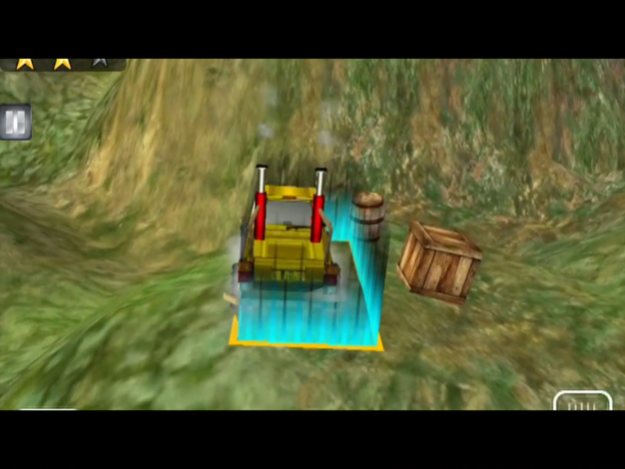



Drive the most amazing offroad vehicles of all time in this wild and extreme hill climbing Game '4X4 Offroad Truck Simulator'!
Features:
>24 Off-Road Trucks for driving and hill climbing
>Amazing Wild 3D Graphics, full of details to explore
>Multiple Driving Missions to complete
>Precise physics simulation
>Real time vehicle deformation
>Retina display support for iPad and iPhone
Fasten your seatbelts, it's gonna be a tough ride!
Mar 9, 2018
Version 1.5
This app has been updated by Apple to display the Apple Watch app icon.
Bug Fixes
About 4X4 Offroad Truck Simulator
The company that develops 4X4 Offroad Truck Simulator is Ginger Games Private Limited. The latest version released by its developer is 1.5.
To install 4X4 Offroad Truck Simulator on your iOS device, just click the green Continue To App button above to start the installation process. The app is listed on our website since 2018-03-09 and was downloaded 9 times. We have already checked if the download link is safe, however for your own protection we recommend that you scan the downloaded app with your antivirus. Your antivirus may detect the 4X4 Offroad Truck Simulator as malware if the download link is broken.
How to install 4X4 Offroad Truck Simulator on your iOS device:
- Click on the Continue To App button on our website. This will redirect you to the App Store.
- Once the 4X4 Offroad Truck Simulator is shown in the iTunes listing of your iOS device, you can start its download and installation. Tap on the GET button to the right of the app to start downloading it.
- If you are not logged-in the iOS appstore app, you'll be prompted for your your Apple ID and/or password.
- After 4X4 Offroad Truck Simulator is downloaded, you'll see an INSTALL button to the right. Tap on it to start the actual installation of the iOS app.
- Once installation is finished you can tap on the OPEN button to start it. Its icon will also be added to your device home screen.
Program Details
System requirements
Download information
Pricing
Version History
version 1.5
posted on 2018-03-09
Mar 9, 2018 Version 1.5
Bug Fixes
version 1.5
posted on 2018-03-09
9 Mar 2018 Version 1.5
Bug Fixes
version 1.5
posted on 2018-03-09
Mar 9, 2018 Version 1.5
This app has been updated by Apple to use the latest Apple signing certificate.
Bug Fixes
version 1.5
posted on 2018-03-09
Mar 9, 2018 Version 1.5
This app has been updated by Apple to display the Apple Watch app icon.
Bug Fixes
version 1.1
posted on 2014-09-14
version 1.5
posted on 1970-01-01
2018年3月9日 Version 1.5
Bug Fixes
version 1.5
posted on 1970-01-01
2018년 3월 9일 Version 1.5
Bug Fixes
